In today’s digital age, our smartphones have become powerful tools for capturing and sharing precious moments. However, sometimes the photos we take need a little extra touch to make them truly shine. That’s where photo editing apps come into play! In this blog post, we will explore some fantastic mobile photo editing software that are not only free but also incredibly easy to use. So, let’s dive in and discover how these apps can transform your mobile photography!
1. Snapseed:
Snapseed, developed by Google, is a highly intuitive and feature-packed editing app. With its user-friendly interface, you can quickly enhance your photos with just a few taps. It offers a wide range of editing tools, including brightness, contrast, saturation adjustments, as well as advanced features like selective editing and healing brush. Snapseed also boasts a collection of creative filters and allows you to save your editing styles as presets for future use.
2. VSCO:
VSCO is known for its stunning filters and film-like aesthetics. The app provides a minimalist and straightforward editing experience. It offers a vast selection of presets that can give your photos a unique look and feel. VSCO also includes basic editing tools such as exposure, temperature, and cropping, allowing you to fine-tune your images. Additionally, the app features a vibrant community where you can share your edited photos and get inspired by other photographers.

3. Adobe Lightroom:
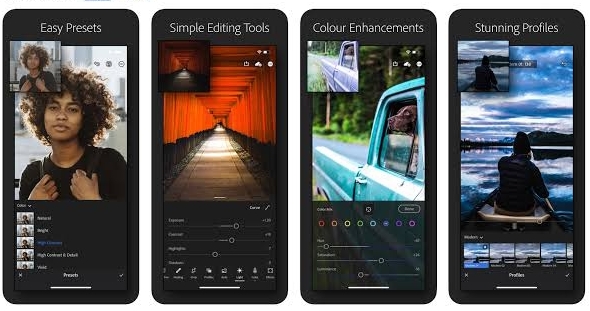
Adobe Lightroom is a powerful editing app that offers a simplified version of its desktop counterpart. It provides a range of essential editing tools and presets to enhance your mobile photos effortlessly. Lightroom allows you to adjust exposure, color, and tone curves to bring out the best in your images. One of its standout features is the ability to sync your edits across devices, making it convenient for photographers who switch between their mobile and desktop workflows.
4. Pixlr:
Pixlr is a versatile editing app suitable for both beginners and advanced users. It offers a wide array of editing options, including filters, overlays, and adjustment tools. Pixlr’s user-friendly interface and intuitive controls make it easy to navigate and experiment with different editing techniques. The app also provides additional features like collage making, adding text, and creating graphic designs, giving you creative flexibility beyond simple photo edits.
5. Adobe Photoshop Express:
Adobe Photoshop Express brings the power of Photoshop to your mobile device in a simplified manner. This app offers quick and easy editing options such as cropping, rotating, and adjusting exposure. It also includes filters, textures, and borders to add creative touches to your photos. With its user-friendly interface, you can apply edits with just a few taps and enhance your images effortlessly.
In conclusion, these free and user-friendly mobile photo editing apps have revolutionized the way we enhance and transform our smartphone photos. Snapseed, VSCO, Adobe Lightroom, Pixlr, and Adobe Photoshop Express offer a range of powerful editing tools, filters, and presets that are accessible to photographers of all skill levels. Whether you’re a beginner looking to make quick adjustments or an experienced user seeking advanced editing options, these apps have got you covered. With just a few taps, you can elevate your mobile photos, add artistic flair, and bring out the best in your images. So, grab your smartphone, download these apps, and unlock a world of creative possibilities for your mobile photography journey.

 Photography Corner
Leave a comment